
What is SuiteDash? A plain-English tour.
SuiteDash runs your client work in one system: from first inquiry to signed engagement, collected documents, finished work, and paid invoice. Here's what it does, with real screens from a tax firm we built on it.
Jump to: Clients·Signatures·Onboarding·Delivery·Billing·Support
One system instead of a stack of apps
Most service businesses run on a client list, a file-sharing tool, an e-signature app, an online form builder, a task tracker, and an invoicing app, held together by copy and paste. SuiteDash replaces that stack with one system, so your clients get one place to work with you and your team gets one place to run the business.
Follow a client from first contact to paid invoice
The screens below come from Harbor Tax & Accounting, a demo tax firm we set up in SuiteDash. The same features work for law firms, consultants, agencies, contractors, and coaches.
Know where every client stands
Every client, conversation, and piece of work lives in one place, so nobody keeps the client list in a spreadsheet or their head.
- One record per client with their full history
- A visual status for every job, from first inquiry to done
- Online inquiry forms that add new clients for you
- Appointment booking and group events
- Email newsletters and follow-up sequences
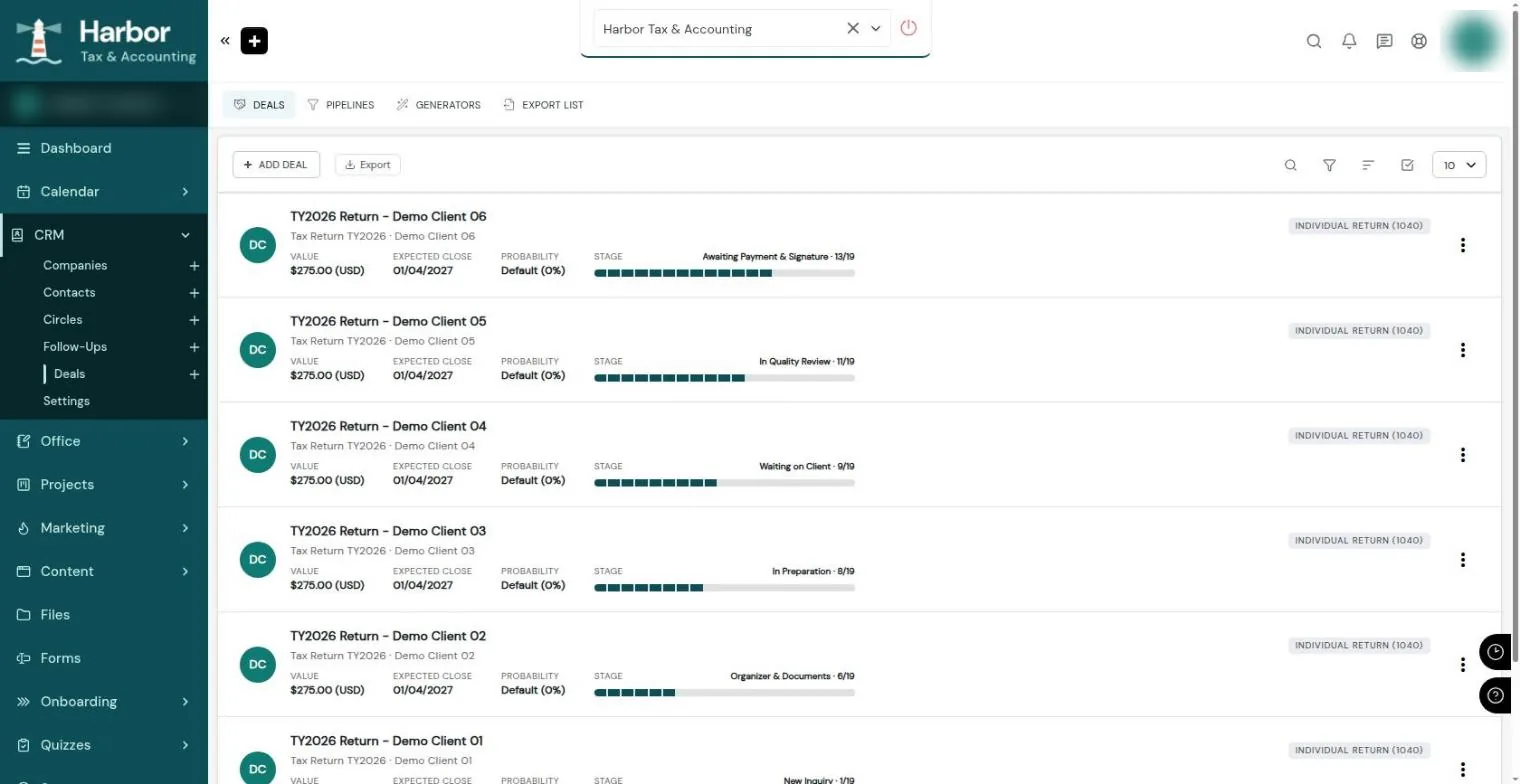
Every return shows where it stands: new inquiry, waiting on documents, in preparation, in review, or waiting on payment and signature. Anyone on the team can answer "where's my return?" in seconds.
Win the work and get it signed
Send proposals, contracts, and engagement letters that clients sign online, with no printing, scanning, or separate e-signature subscription.
- Proposals and quotes clients approve online
- Contracts and letters with built-in e-signature
- Documents filled in with the client's details for you
- A branded page for each prospect you're courting
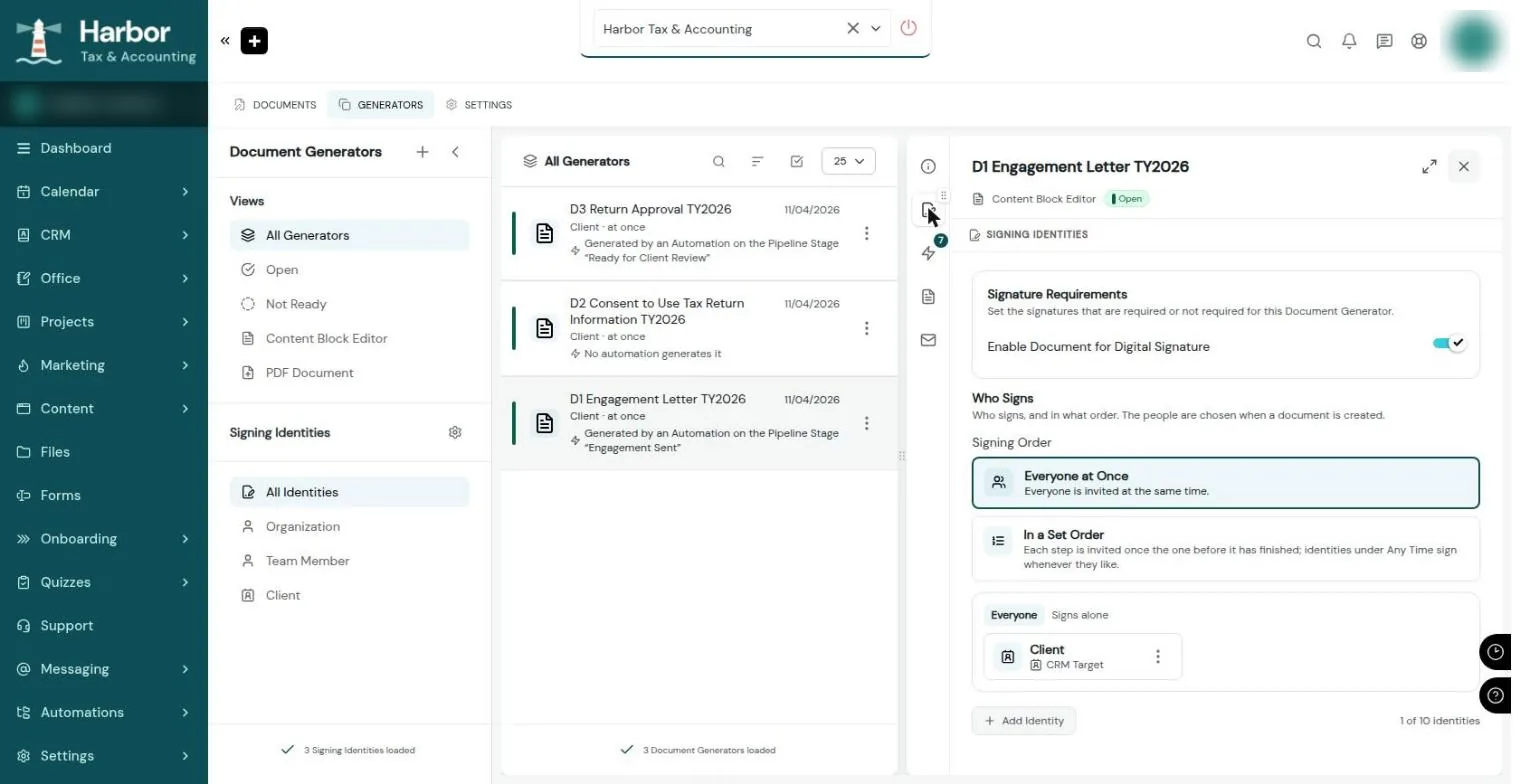
Once a new client is accepted, their engagement letter goes out for signature on its own. Consent forms and return approvals follow the same way, so nothing waits on someone remembering to send it.
Onboard clients through your own portal
Clients log in to one secure portal with your name and logo on it. That's where they answer your questions, upload documents, see what's next, and message you.
- A client portal on your own web address, with your branding
- Step-by-step onboarding that walks clients through what you need
- Questionnaires that only ask what applies to each client
- Secure document upload, organized by client
- Desktop and mobile app versions of your portal
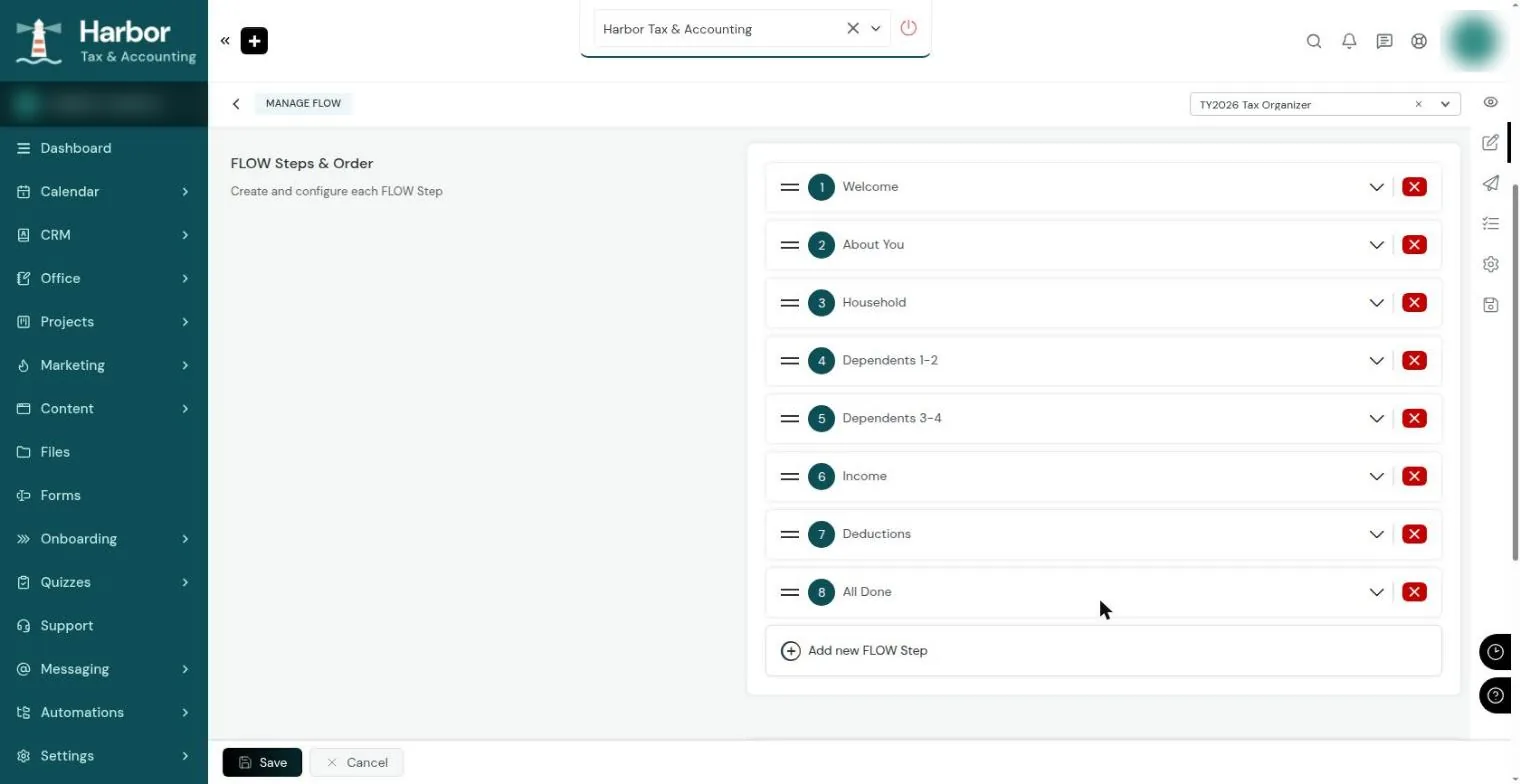
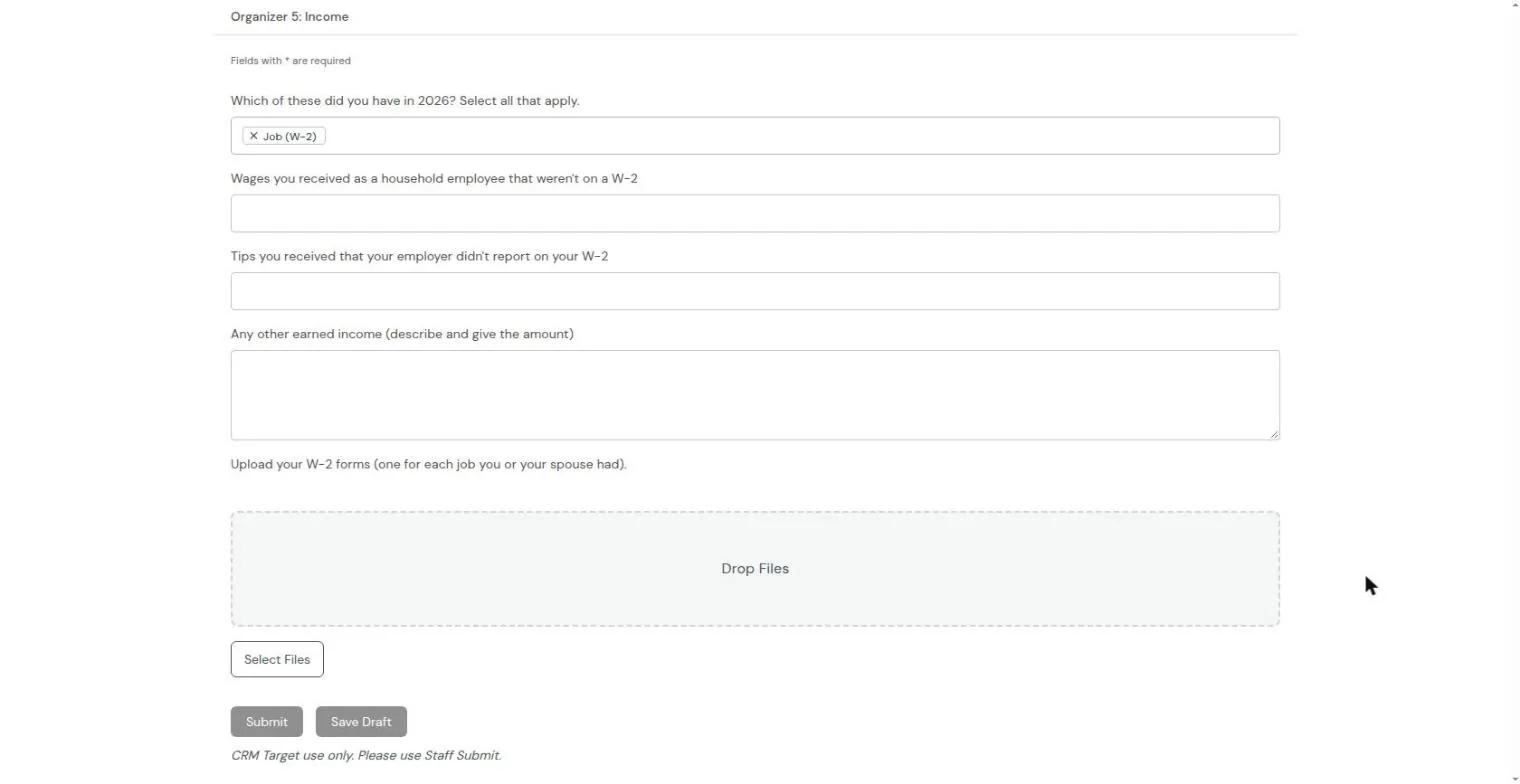
Clients complete their tax organizer one short section at a time: about you, household, dependents, income, and deductions. Tell it you had a job, and it asks for your W-2 right there. Documents land in the client's file instead of someone's inbox.
Deliver the work the same way every time
Your process becomes a checklist that every job follows, with each step assigned to the right person on your team.
- Checklists and task boards for every job
- The same steps for every client, every time
- Team members see only the clients they work with
- Time and expense tracking that carries onto invoices
- Conversations with your team and the client, kept with the job
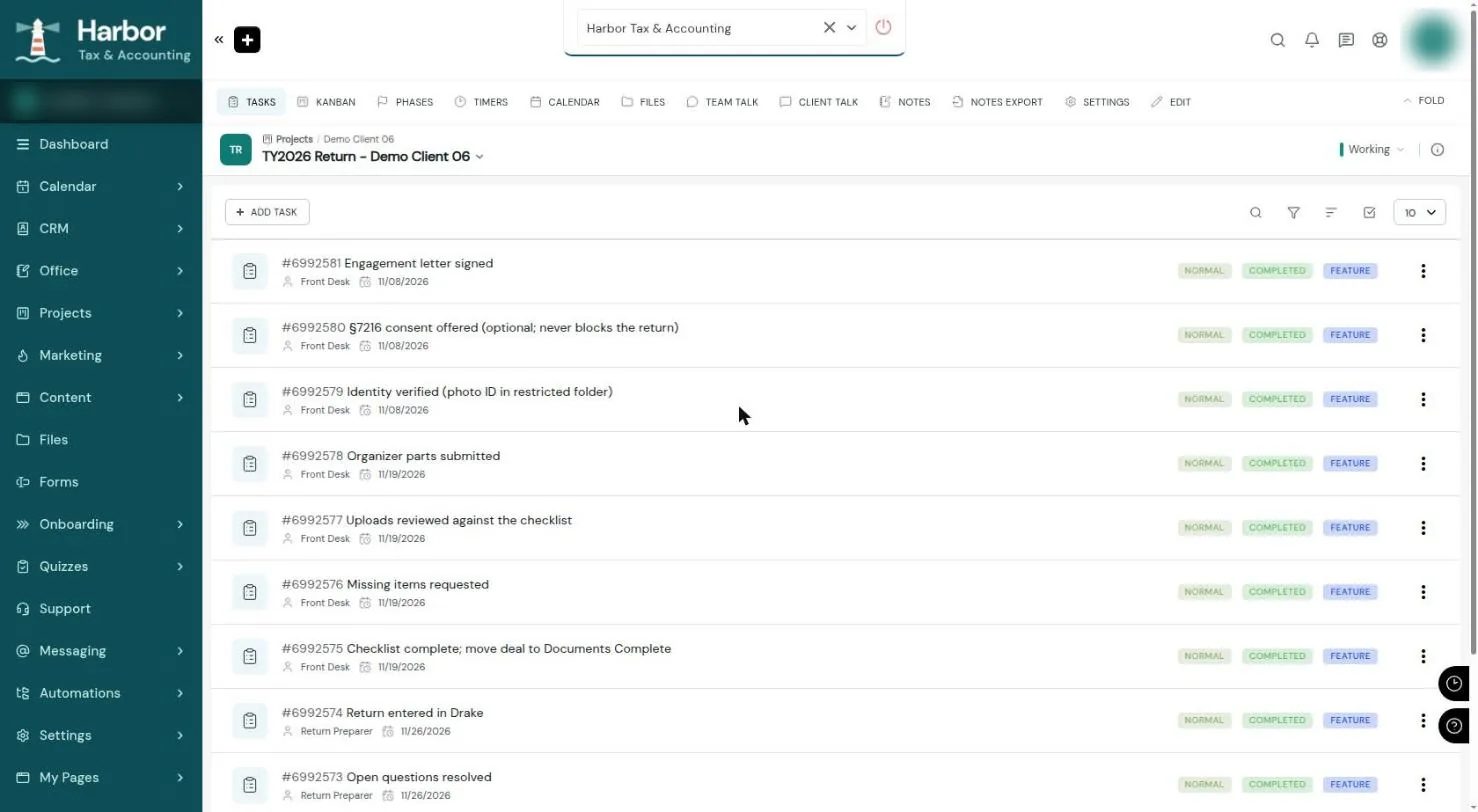
Every return follows the same checklist, from verifying the client's identity and reviewing their documents to preparing, reviewing, and filing. The front desk and the preparers each see the steps that are theirs.
Get paid without chasing
Invoices, card payments, and recurring billing are part of the same system, so billing follows the work instead of living in another app.
- Invoices clients can pay online by card
- Recurring billing for ongoing clients
- Payments through processors such as Stripe
- Reports on what's billed, paid, and outstanding
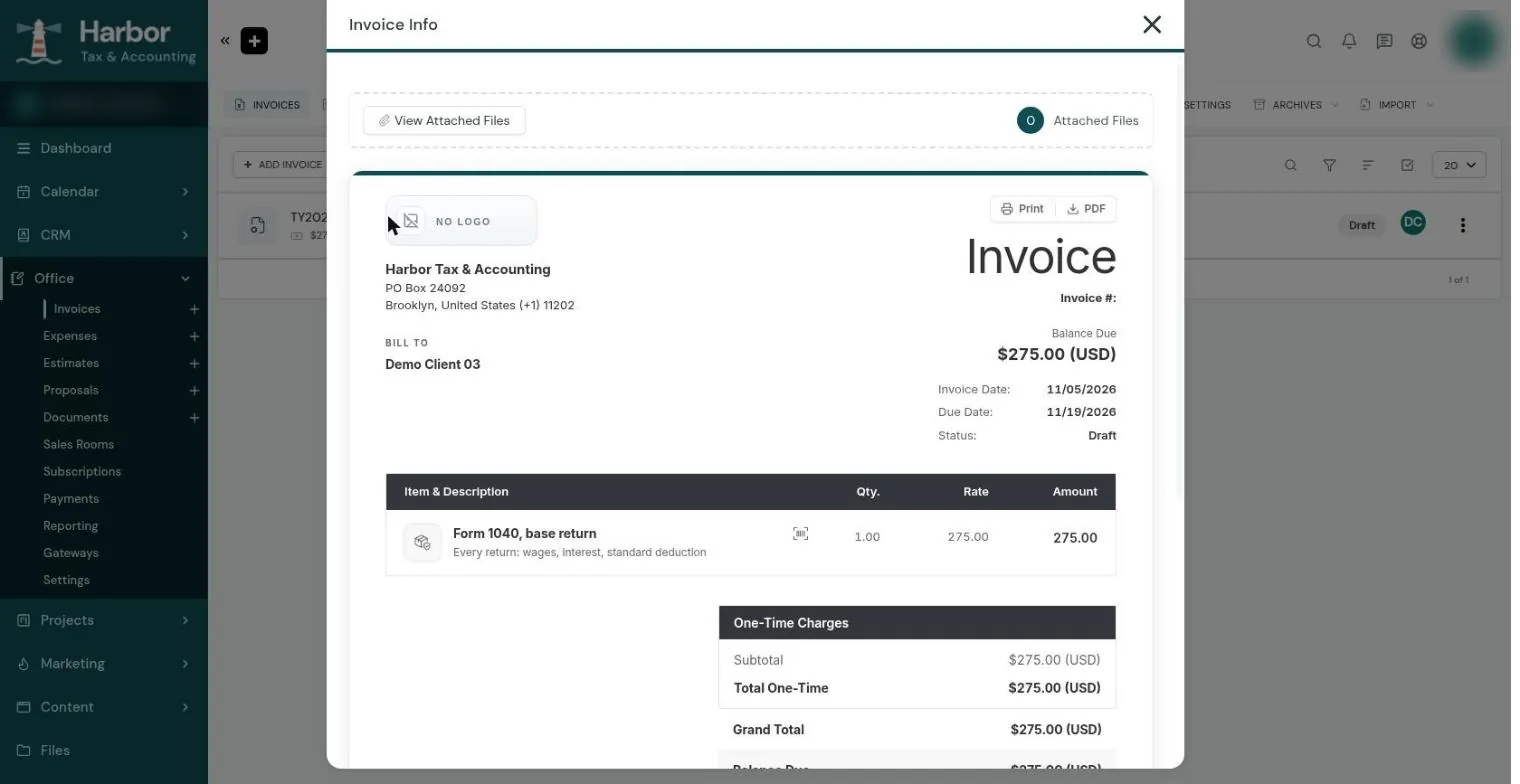
The client's invoice is ready before filing. Their return waits until they've paid and signed their authorization, and only then moves on to filing.
Support clients and keep them coming back
After the work is done, the same portal handles questions, renewals, and anything you want to teach clients.
- Client questions tracked until they're answered
- Private messaging with clients and your team
- Courses, quizzes, and surveys
- Private member communities (an optional add-on)
- A different portal home page for each type of client
Clients ask questions from the portal instead of texting someone's phone, and nothing gets lost. Next season, returning clients log in and start where they left off.
The next step starts on its own
Because everything lives in one system, finishing one step can start the next: sending a document to sign, assigning work to your team, emailing the client, or asking them for what's missing.
The apps SuiteDash can retire
| In SuiteDash | Instead of |
|---|---|
| CRM and contact lists | Spreadsheets or a standalone CRM |
| Client portal and file sharing | Emailed attachments and shared drive folders |
| E-signature | A separate e-signature subscription |
| Online forms | A standalone form builder |
| Scheduling | A separate booking tool |
| Project and task tracking | A separate project management app |
| Invoicing and card payments | A separate invoicing app |
| Email campaigns | A separate email marketing tool |
| Support tickets and client messaging | A shared inbox and text messages |
What you can retire depends on how you work today. What you keep: the software for your core craft, such as your tax software or accounting ledger.
SuiteDash can do a lot. Setting it up is the hard part.
Run And Scale is a service of Pure Source, LLC, a SuiteDash Validated Agency Partner. We turn the platform into a working system for your business.
- We map your actual process first, then build SuiteDash around it, not the other way around.
- A head start for your industry: questionnaires, documents, and checklists that already fit how firms like yours work.
- Automatic next steps, so the work moves forward without someone remembering to start it.
- A launch test where we go through everything as a client before your clients see it.
- Recorded walkthroughs and written guides for your team.
Common questions about SuiteDash
What is SuiteDash?
How is SuiteDash priced?
Does SuiteDash replace my tax or accounting software?
Is SuiteDash HIPAA compliant?
Can I set SuiteDash up myself?
Want to see if SuiteDash fits your business?
Take the free assessment for a read on your fit, or book a 20-minute call and we'll tell you honestly.
Tax or accounting firm? See this system live at our free workshop, Thursday, November 19th, 1:00 PM ET →
Last updated: 2026-11-06